Printed in San Jose
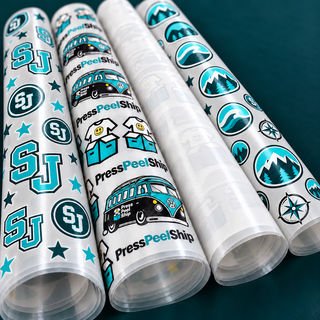
We print your artwork onto transfers for clothing that you apply with a heat press.
Upload your artwork and arrange your designs in the online builder.
No minimum order. Choose your size and see pricing in the builder.
Your designs printed together on a gang sheet, ready to cut apart and apply to clothing.
300°F · 3 seconds · Hot peel · Transfer sheet · 3-second second press
Artwork & ordering
Use high-resolution artwork with a transparent background. Check the file and pressing guidance before you order.
Contact usUpload PNG, PDF, AI, EPS or SVG files. Use 300 DPI artwork and a transparent background to avoid unwanted boxes around your design.
Check the artwork at the size you intend to print. RGB color mode is recommended.
Press at 300°F for 3 seconds with medium pressure, then peel the carrier film off immediately while hot. After peeling, cover the design with a transfer sheet and press again at 300°F for 3 seconds with medium pressure. Test your press and garment before a production run.
Read the pressing guide for the steps and troubleshooting.
Order by 10 AM PT, Monday–Friday, for same-day printing and shipping. San Jose pickup is available after 3 PM.
Orders after the cutoff ship the next business day. Orders placed after the Friday cutoff ship Monday. Rush options are available at checkout.
What is a gang sheet?
A single sheet containing several designs. You arrange the artwork in the builder, then cut the individual transfers apart before pressing.
Can I mix designs and sizes?
Yes. Arrange different designs and sizes together on the same sheet.
Do I need design software?
No. Upload your artwork and arrange it in the online builder.
Is there a minimum order?
No. Order the sheet size you need.
